



Most products break in boring, unexpected ways. A button works fine on your laptop but fails on a mid-range Android. A flow feels smooth to your team, but collapses for someone rushing on bad Wi-Fi. Crowdsourcing testing pulls those hidden failures into the open – before they affect real users. And yes – it explodes. That is exactly why it works.
Intrigued? We thought so. In this article, we will discuss crowdsourced testing as a practical way to surface issues while they are small. You will also get 8 crowdsourcing tactics that help you fix the problems that hide from plans, from expectations, from rules.
What Is Crowdsourcing Testing & How Does It Work?
Crowdsourcing testing is a software testing approach where companies open their product up to a large, distributed group of real people — not just their in-house QA team — and ask them to test it in real-world conditions, on real devices, with real habits.
Instead of 5 testers sitting in one office, you suddenly have 50, 500, or even thousands of testers across countries, networks, devices, and contexts.
How Crowdsourced Testing Works
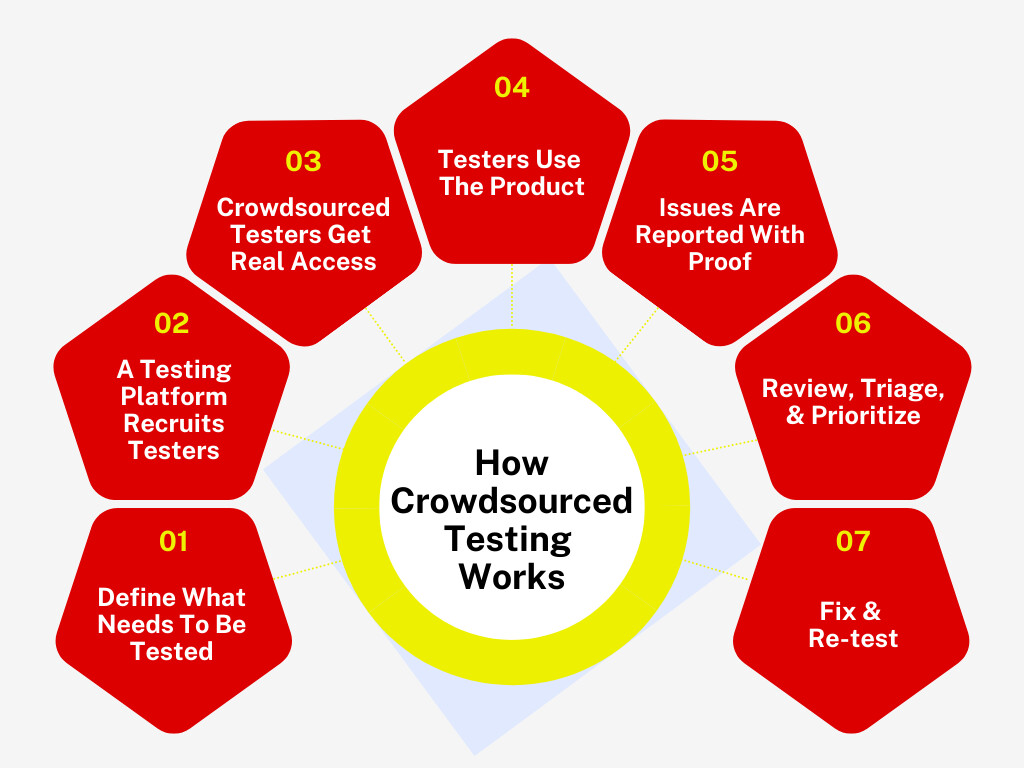
1. Define What Needs To Be Tested
You decide what you want to test: a new feature, onboarding flow, checkout process, app stability, usability, or performance.
2. A Testing Platform Recruits Testers
You usually work through a crowdsourced testing platform. They match your product with testers who fit your audience (for example: iPhone users in the US, gamers, finance app users, etc.).
3. Crowdsourced Testers Get Real Access
Each individual tester receives:
- Build or link to your product
- Test instructions or testing scenarios
- Rules for what to report
- Some test cases are guided. Others are totally exploratory testing
4. Testers Use The Product
They behave like normal users:
- Install it
- Click around
- Try unusual paths
- Combine actions
- Stress features
And when something breaks or falls off, they capture it.
5. Issues Are Reported With Proof
Typically, they submit:
- Screenshots
- Screen recordings
- Steps to reproduce
- Device + OS details
- Severity level
You see everything in one dashboard.
6. Review, Triage, & Prioritize
Your testing team reviews everything, validates real issues, and decides what to fix first.
7. Fix & Re-test
You forward the findings to the software developer, who then pushes the updates. You then send them back to the crowd to confirm everything works.
Crowdsourced Testing vs. Outsourced Testing vs. In-House Testing: Understanding The Key Differences
Let’s break down how the crowdsourced testing process compares to outsourced and in-house approaches, so you know exactly what each brings to the table.
| Crowdsourced Testing | Outsourced Testing | In-House Testing | |
|---|---|---|---|
| Cost | Pay per test or per bug. Flexible and usually economical | Ongoing contract costs. Predictable, but higher over time | Salaries, benefits, tools, and training. Highest long-term cost |
| Speed & Availability | Very fast. Large pool available on demand, around the clock | Depends on vendor timelines and workload | Limited by team capacity and schedules |
| Device & Environment Coverage | Massive coverage across countries, networks, and operating systems | Good test coverage, but still restricted to vendor resources | Limited to what your team owns and manages |
| Control & Oversight | Light oversight. You manage results and triage | Moderate control. Testing processes driven by the vendor | Full control over priorities, processes, and quality standards |
| Expertise & Product Knowledge | Real users with varied skill levels and perspectives | Professional testers with structured methodology | Deep product understanding and alignment with business goals |
8 Crowdsourcing Testing Tactics Every Product Team Should Use
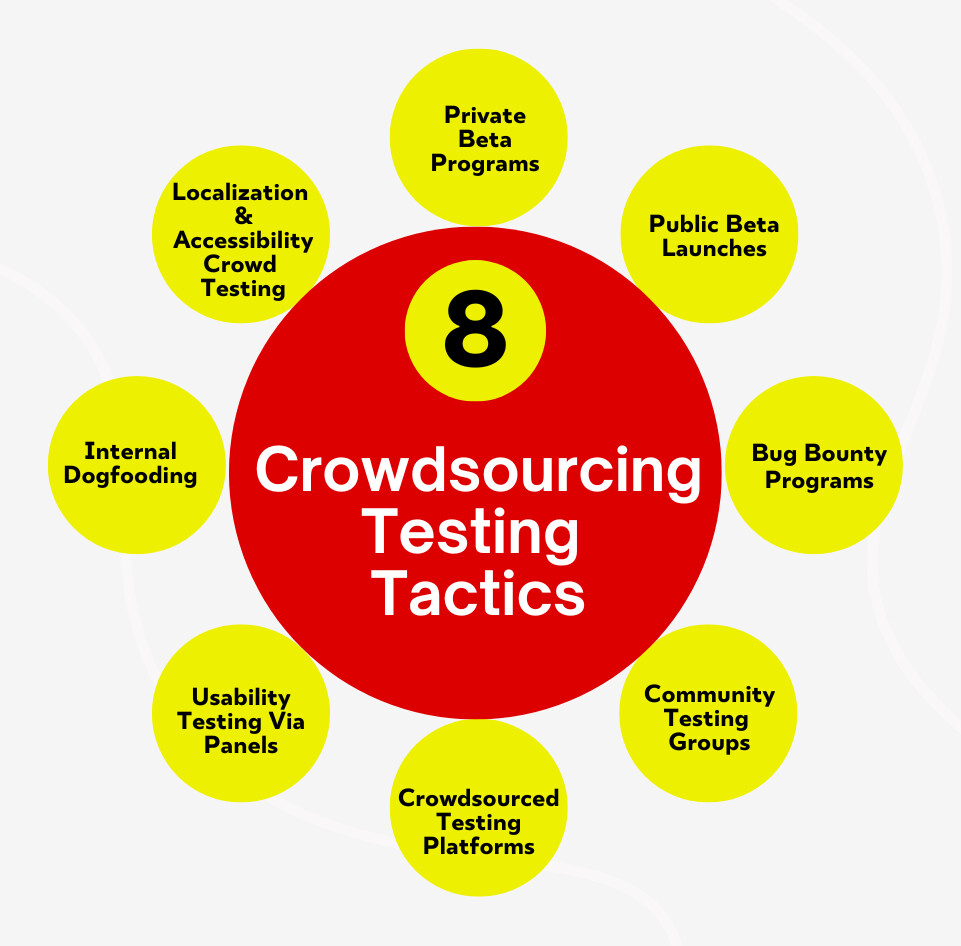
You have plenty of ways to bring real users into your product before launch, and each one does a very different job. Here are 8 specific crowdsourcing testing methods you can actually use.
1. Private Beta Programs With Carefully Selected Users
A private beta is a closed testing phase where you invite a small group of people you hand-pick to use the product before anyone else gets it. And no, these aren’t random users. They match the exact use cases you want to validate. And the benefits of crowdsourced testing are evident. You control access. You control builds. You control who sees what.
How To Implement
- Create a shortlist of 20–60 users from support tickets and early champions – map each person to a specific workflow you want tested.
- Ship beta builds through invite-only channels (TestFlight, Firebase App Distribution, or gated downloads) and track installs by user name.
- Set a weekly review system (15 minutes) with 6–8 users at a time to walk through very specific testing tasks you assign.
- Require NDA + consent upfront and store every recording and note in one shared document labeled by build version.
Ideal For
- Enterprise pilots
- Complex onboarding flows
- Early-stage products
- Sensitive feature releases
Things To Watch Out For
- Over-inviting and losing control
- Letting friends test instead of real target users
- Ignoring user satisfaction and version-specific feedback
Real-World Example
Microsoft used its Windows Insider Program as a controlled private beta for early Windows and Xbox feature previews. Thousands of invited users got special builds before public release, then submitted structured bug feedback tied to specific hardware configurations and app workflows.
That meant issues like a game crashing on a particular GPU or controller lag on a certain driver version got logged early and tagged by build number, which sped up repro and fixes. It was real users with precise roles giving contextual bug reports that Microsoft integrated into their release pipeline.
2. Public Beta Launches With Structured Feedback Channels
A public beta opens the doors wider. Anyone who wants to try it, can. But – it isn’t a free-for-all. A good public beta is organized around clear paths for real-world user feedback, so things don’t pile up everywhere. You let real traffic touch the product, while guiding how people talk to you about issues.
How To Implement
- Create one single “Beta Hub” page with links to: known issues, latest build notes, and where to submit problems.
- Add in-product bug reporting (button, keyboard shortcut, or mobile shake gesture) that auto-captures logs and screenshots.
- Publish a strict feedback template – steps to reproduce, their own device info, OS, build number, expected vs. actual outcome.
- Close the loop publicly with a changelog that shows what was fixed or deferred – version by version.
Ideal For
- High-traffic mobile apps
- UX polishing before launch
- Feature rewrites
- Performance testing at scale
Things To Watch Out For
- Overwhelming inboxes
- Duplicate reports piling up
- People assuming beta equals final product
Real-World Example
Airbnb rolled out global app features via the early access program with clear feedback channels built right into the app. For example, when testing new search and booking features, they encouraged users in select regions to try the functionality and report issues. They captured device model + OS version and user journey context in system logs automatically.
Airtable dashboards aggregated these reports, and engineers sorted by severity and reproduction steps. That level of organized feedback helped Airbnb create smoother booking flows and reduce region-specific errors before broader rollout. Real users outside the company drove meaningful refinements.
3. Bug Bounty Programs
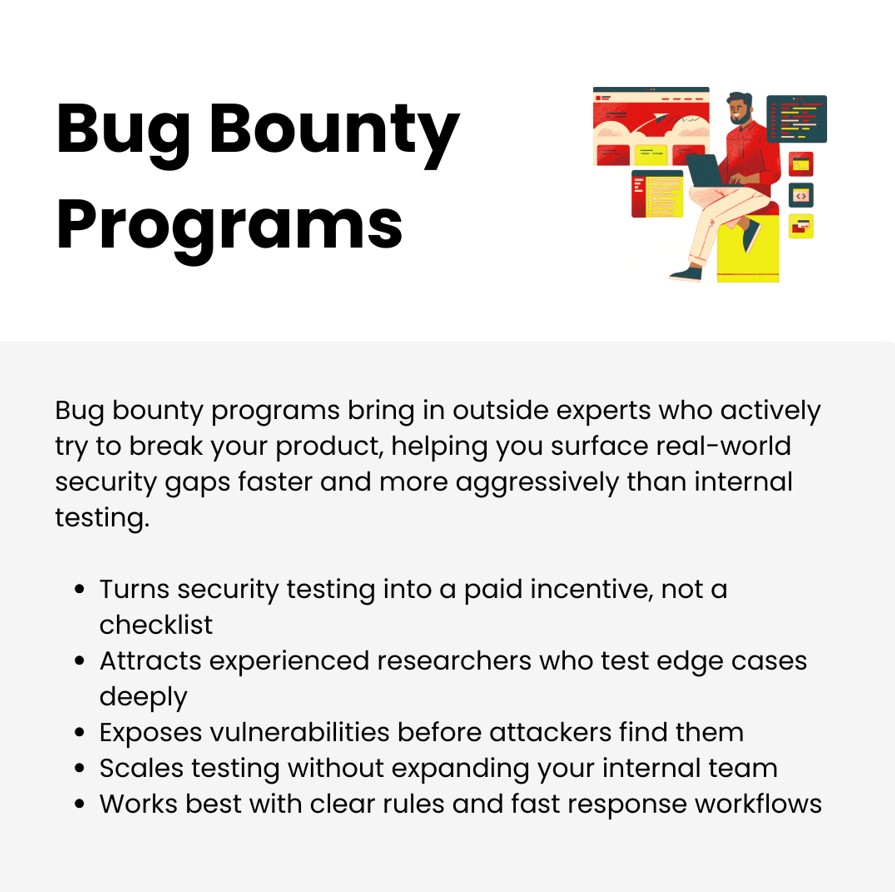
A bug bounty invites independent researchers and power testers to intentionally hunt for vulnerabilities and edge-case failures – and get paid for it. It is systematic probing based on rules you define. You create incentives, so crowd testers go deeper than your software quality assurance team ever would.
How To Implement
- Write a clear scope document – what is in bounds, what is out, what counts as eligible, what gets ignored.
- Create a severity-based payout table (e.g., cosmetic, functional, data exposure, critical exploit) and publish it.
- Set up a triage workflow with response-time SLAs and assign a dedicated reviewer who validates every claim.
- Issue safe testing guidelines with sandbox credentials so researchers don’t risk touching live customer data.
Ideal For
- Security-sensitive apps
- Fintech products
- Authentication systems
- APIs exposed to third parties
Things To Watch Out For
- Vague bounty rules
- Paying for non-reproducible reports
- Allowing live-environment testing without isolation
Real-World Example
Twilio’s crowdsourced security approach is a classic example of bug bounty programs finding deep vulnerabilities that internal teams wouldn’t catch. Twilio ran both private and public bounty tracks with Bugcrowd and rewarded researchers up to thousands of dollars for exploits ranging from API misconfigurations to high-risk auth bypasses.
Over 1,200 submissions from more than 60 countries helped Twilio patch previously unknown security holes and refine its threat models. What made this true crowdsourced testing was the range of independent testers and the structured severity payouts that kept quality high.
4. Community Testing Groups (Slack, Discord, Forum)
Community testing groups turn your most engaged users into a continuous testing circle. This is not a beta or bounty. It is a space where users trade discoveries and give you honest reactions before and after releases. You get context through diverse user interactions and long-term testers who understand the product deeply.
How To Implement
- Set up separate channels: “early previews,” “edge cases,” “accessibility,” “performance” – each with pinned posting rules.
- Recruit members intentionally – invite people who previously reported useful issues, not just anyone who joins.
- Run monthly “test sprints” where you release a build and assign specific missions to different user segments.
- Appoint moderators (internal + power users) to summarize and escalate threads into actionable dev tickets.
Ideal For
- Long-term consumer software evolution
- Frequent release cycles
- Feature experimentation
- Roadmap validation
Things To Watch Out For
- Turning the space into support instead of testing
- Ignoring active contributors
- Leaving threads unanswered for days
Real-World Example
Lego turned its passionate fans into an ongoing community testing and feedback engine with LEGO Ideas. Fans propose, review, and iterate on set concepts. And community feedback – including detailed build criticisms or suggestions on minifigure design – feeds directly into Lego’s product decisions.
While it is not code testing, this is crowdsourcing product validation in action: thousands of users vet designs, polish them, and once approved, those community-informed models become official sets.
5. Crowdsourced Testing Platforms (Managed Tester Networks)
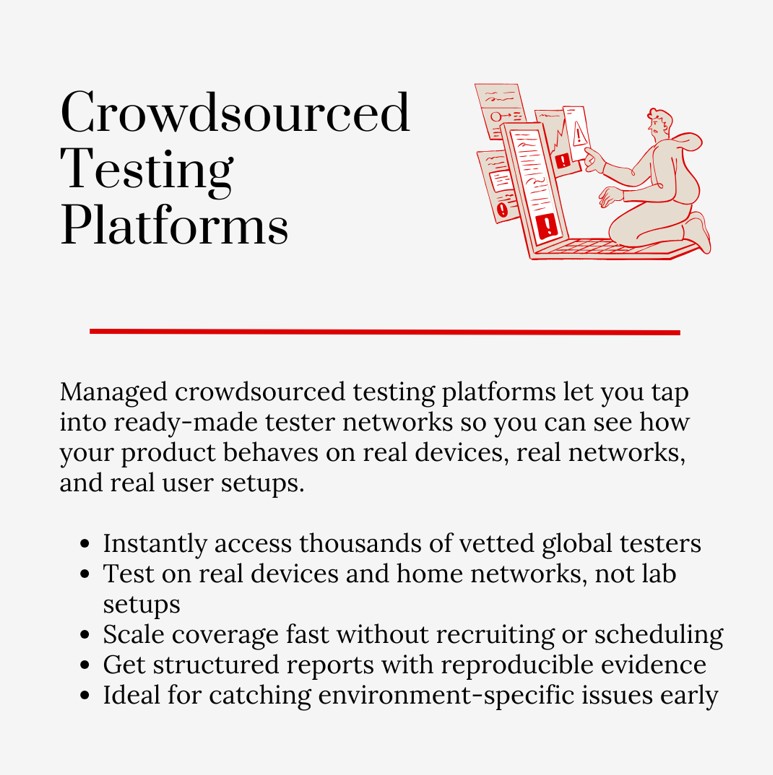
This is where you borrow a network from companies that already have thousands of vetted testers worldwide. They handle recruiting, screening, scheduling, device coverage, tracking, and payouts.
You don’t manage the crowd yourself. You tell them what you need tested, and they assemble the exact testers. And because testers use their own real-world setups and tangible personal assets like laptops, phones, and home routers, you see how the product behaves outside controlled lab equipment.
How To Implement
- Shortlist 2–3 crowdsourced testing services and ask for sample reports and tester demographics before signing anything.
- Write test missions that mirror existing workflows (example: “sign up, connect bank, export CSV”) and attach success criteria.
- Require video evidence + reproduction steps in every submission so devs can act without assuming.
- Run one small paid pilot (1–2 days) before any full campaign, and compare accuracy across platforms.
Ideal For
- Global app testing
- Device fragmentation
- Compatibility checks
- PAT testing on hardware-connected devices
Things To Watch Out For
- Paying for vague bug descriptions
- Testers rushing for volume instead of accuracy
- Over-scope missions that confuse everyone
Real-World Example
Netflix uses crowdsourced testing for global app behavior checks across languages, networks, devices, and locations.
When rolling out to new territories or launching major UI changes, they connect with the crowdtester networks to validate that playback, navigation, subtitle rendering, and account actions behave consistently on Samsung TVs, Android phones, older iOS devices, and legacy web browsers across countries.
This real-world device diversity uncovered edge-case bugs that Netflix’s internal labs never saw, which were critical in ensuring smooth global streaming.
6. Usability Testing Via Panels
Panels give you pre-recruited people who match specific demographic traits – age, role, income, language, industry, and more. You watch them complete tasks live or via recordings. This usability testing is about seeing where people hesitate, stop, backtrack, or misinterpret the interface.
How To Implement
- Define profiles first (for example: “new accountants using software first time”) before writing a single task.
- Script task flows with plain instructions that never hint at where to click – let confusion show.
- Use time-boxed sessions (12–15 minutes) with one outcome per task and collect screen + audio recordings.
- Tag moments by timestamp (“paused,” “restarted,” “abandoned”) and summarize patterns in one decision document.
Ideal For
- Onboarding clarity
- First-time user experiences
- Navigation changes
- Checkout flows
Things To Watch Out For
- Leading instructions that give answers
- Overloading testers with too many tasks
- Treating casual comments as product truths
Real-World Example
At Sewing Parts Online, the team wanted to improve the checkout and machine comparison flow for the Janome 2212 sewing machine. They recruited a panel of 50 real sewists matching demographics like “new hobbyist” and “seasoned quilter,” and asked each to record themselves completing tasks like “find the bobbin replacement page and check compatibility.”
Panelists submitted screen recordings and audio explanations showing where they retraced steps or misread labels. The result: specific wording tweaks and clearer error messages in the checkout flow – all backed by timed session recordings and path analysis.
7. Internal Dogfooding
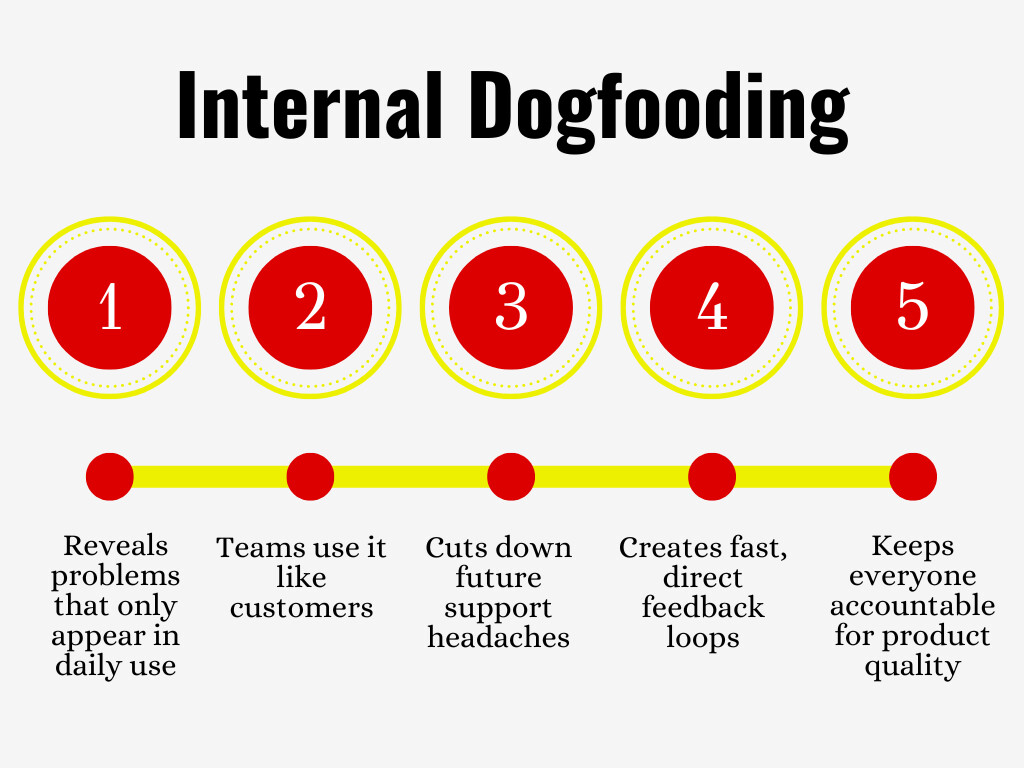
Dogfooding means your internal team uses the product as part of their normal work. Not demos. Not mock accounts. Real tasks. Support uses it. Marketing uses it. Sales uses it. Engineers live in it every day. You discover friction that only shows up when the product becomes part of someone’s daily routine.
How To Implement
- Assign each in-house team a recurring testing project tied to their job (support replies, reporting, content creation, admin work).
- Issue internal accounts with production-like permissions, and rotate roles monthly, so perspectives change.
- Set a weekly 20-minute “dogfood standup” where dedicated teams show specific blockers with screenshots.
- Track every finding in a separate board labeled “dogfood only” so it never disappears behind customer tickets.
Ideal For
- Admin tools
- Internal dashboards
- Workflows with many steps
- B2B products used all day
Things To Watch Out For
- People shortcutting flows because they know the product too well
- Turning it into complaining instead of reporting
- Ignoring issues because “we can live with it”
Real-World Example
Microsoft Garage is real crowdsourced testing at scale inside a giant company. Engineers, marketers, and support staff all use unfinished internal tools as part of their daily work.
For example, a pre-release Microsoft Teams feature went through dogfooding, where support staff used the tool to manage real tickets. Marketing used it for campaign coordination, and developers used it for sprint planning.
This cross-department usage surfaced real blockers, like message sync delays under certain network conditions. These were only visible when the tool was actually used in daily workflows rather than in isolated test cases. This kind of sustained, real-use exposure led to focused fixes before public release.
8. Localization & Accessibility Crowdsourcing
Here, you invite people who actually live with language differences, disabilities, assistive tech, regional norms, and cultural nuances. They test copy, layouts, labels, color contrast, screen readers, direction changes, date formats, and more. Automated testing helps – but real users catch the subtle things. You are improving the site experience and making it usable everywhere, by everyone.
How To Implement
- Recruit region-specific testers and accessibility advocates, not translators alone – map each group to a language or ability.
- Share builds with real-world scenarios (purchase, reset password, upload file) and ask for screenshots where issues block progress.
- Test across screen readers, switch controls, keyboard navigation, zoom levels, and RTL layouts separately.
- Maintain a localization testing glossary and accessibility checklist, and update both after every crowd testing cycle.
Ideal For
- Multi-country launches
- Apps with heavy text
- Government/education tools
- Compliance-driven products
Things To Watch Out For
- Relying only on automated accessibility scanners
- Copy that translates literally but breaks meaning
- Ignoring region-specific formatting and standards
Real-World Example
The Dermatology and Laser Group wanted its booking portal and patient forms to work smoothly for non-English speakers and users with screen readers. They recruited testers across the U.S. and Mexico, and also testers who use NVDA and VoiceOver assistive tech.
Testers ran through appointment booking, insurance card uploads, payment entries, and post-visit instructions. They recorded where language or accessibility labels broke flows – like misread form fields or date formats that confused voice readers.
The team then updated label attributes and re-localized error messages. Because testers were real humans consuming actual medical content, these refinements directly reduced appointment drop-off rates.
Conclusion
The advice is simple and tough at the same time. Wire crowdsourcing testing into your releases. Make it boring. Make it routine. Stop predicting everything from inside a meeting room. Stop polishing mockups as if pixels tell the whole story. Put real people in the loop, over and over, in controlled doses, and let their messiness shape the product before the internet does it for you.
That kind of discipline in crowdsourcing testing efforts isn’t just something you do in isolation. There is a global conversation happening around it – and we are right in the thick of it at Crowdsourcing Week.
Share with us what you are doing in the collaborative crowd space, and let’s keep the conversation going.



0 Comments